
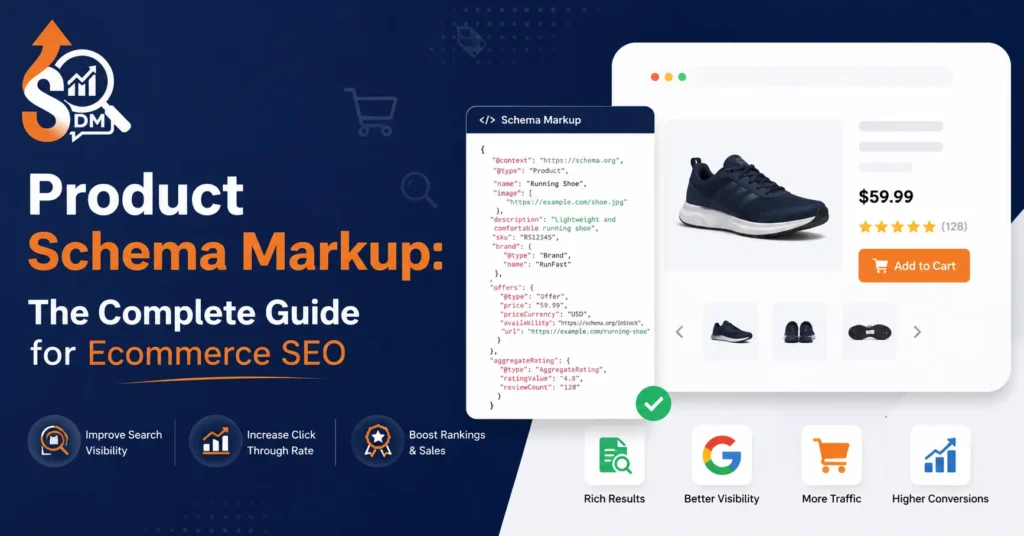
Every ecommerce store owner wants their products to stand out in Google search results. But here is the uncomfortable truth: publishing a beautifully written product page is no longer enough. Search engines do not “read” your store the way your customers do. They need a machine-readable layer — a structured signal that explicitly tells them what your product is, what it costs, whether it is available, and who sells it.
That signal is Product Schema Markup.
This guide gives you the complete picture, from understanding why schema now directly feeds AI-powered search engines to implementing multivariant ProductGroup arrays that your competitors are still ignoring to synchronizing your on-page code with Google Merchant Center feeds so your account never gets flagged again. Whether you run a Shopify store or a WooCommerce build, this is the technical SEO playbook your product pages need right now.
Why Product Schema Markup Is Non-Negotiable for Ecommerce SEO

When Google crawls your product page, it processes two parallel layers of information. The first is your visible content — your headings, copy, and images. The second is your structured data, the machine-readable JSON-LD code sitting in your HTML that tells Google’s Knowledge Graph exactly what entity type it is dealing with.
Product schema markup is the schema.org/Product vocabulary that powers that second layer. Deploy it correctly, and your listings earn rich results inside the SERP visual enhancements that surface price, availability, and star ratings directly inside search queries before a user even clicks.
The Rich Result Advantage in Real Numbers
The SEO value here is not theoretical. Ecommerce pages with properly implemented product schema markup consistently outperform bare HTML listings in organic click-through rates (CTR). Industry benchmarks show that structured data implementation drives a 20% to 40% improvement in organic CTR for product pages competing for the same keywords. The reason is simple: your listing occupies more visual real estate and answers buying questions before the user has to visit your site.
The three core rich results that product schema unlocks are:
- Price Snippets — real-time base price or sale pricing displayed directly in search results
- Availability Badges — instant “In Stock,” “Out of Stock,” or “Preorder” signals
- Review Aggregation — star ratings pulled from your
aggregateRatingobject and displayed inline
Each of these elements addresses a purchase-decision trigger. A user searching for “blue running shoes size 10” who sees your listing showing ★4.7 (312 reviews) · $89.00 · In Stock has already answered three of their biggest buying questions before reaching your page. That is why schema lifts conversions, not just clicks.
Schema as Entity Architecture
Beyond rich results, structured data performs a deeper function in Google’s semantic understanding. It builds explicit entity relationships inside the knowledge graph:
- The
Productentity connects to aBrandentity through thebrandproperty - The
Brandentity links to anOrganizationentity representing your store - The
Offerentity nested inside your schema binds price, currency, and availability into a single transactional node
This entity relationship architecture is what search engines use to build topical authority signals around your catalog. It is also—critically—what AI search engines use to verify your inventory data.
The AI Search Reality: Schema Is Now Your GEO Foundation

Here is the content gap that most e-commerce SEO guides still miss in 2025: Product schema markup is no longer just a Google rich results tool. It is the structured data layer that AI search engines read first.
Google AI Overviews, Perplexity, ChatGPT Search, and Google Gemini all pull verified product attributes from structured metadata when generating AI-powered shopping responses. When a user asks an AI assistant, “What is the best waterproof jacket under $200,” the AI engine cross-references on-page text with hardcoded schema attributes to confirm pricing accuracy, brand identity, and product specifications.
Reducing AI Hallucinations With Hardcoded Schema
Large Language Models (LLMs) hallucinate. That is a known engineering challenge. But research into how LLMs process ecommerce pages reveals a clear pattern: pages with complete, valid schema markup produce up to 30% more accurate product detail extraction compared to unstructured pages where the model must guess from raw text alone.
The properties that matter most for Generative Engine Optimization (GEO) are the global identifiers your schema should always include:
gtin— Global Trade Item Number (barcode identifier)mpn— Manufacturer Part Numberbrand— TheBrandentity object with anamepropertysku— Your internal stock-keeping unit
When these identifiers are hardcoded in your JSON-LD, AI shopping grids and comparative buying guides pull your exact product data instead of approximating it. That means your price, your brand name, and your availability appear correctly in AI-generated answers — giving you visibility in the new search paradigm that your competitors without GEO-ready schema will miss entirely.
Semantic SEO Note: The entities
Product,Brand,Offer, andOrganizationform a graph. Your schema markup is how you teach LLMs that these entities are connected through your store. Every missing property is a gap in that graph — and gaps invite hallucinations.
Required vs. Recommended Product Schema Properties
Before writing a single line of code, understand what Google actually requires to serve a rich result versus what separates a basic implementation from a topical authority-level schema deployment.
Required Fields (Rich Result Eligibility)
| Property | Type | Purpose |
|---|---|---|
name | Text | The explicit product title |
image | URL | Absolute URL to high-resolution product image |
That is the minimum. But the minimum schema earns the minimum results.
Recommended High-Value Fields
| Property | Type | SEO/GEO Benefit |
|---|---|---|
description | Text | NLP signal for topical relevance |
offers | Offer | Nested object: price, currency, availability |
aggregateRating | AggregateRating | Star rating rich result trigger |
brand | Brand | Entity relationship — connects product to brand graph |
gtin / gtin13 | Text | AI verification identifier |
mpn | Text | Manufacturer cross-reference for shopping feeds |
sku | Text | Internal identifier for Merchant Center sync |
JSON-LD Code Template: Single Product
<script type="application/ld+json">
{
  "@context": "https://schema.org/",
  "@type": "Product",
  "name": "Men's Waterproof Trail Running Jacket",
  "image": [
    "https://yourstore.com/images/jacket-front.jpg",
    "https://yourstore.com/images/jacket-back.jpg"
  ],
  "description": "Lightweight waterproof running jacket with sealed seams and reflective detailing. Ideal for trail running in wet conditions.",
  "sku": "TRJ-MENS-BLU-M",
  "mpn": "MFR-TRJ-2024",
  "gtin13": "0123456789012",
  "brand": {
    "@type": "Brand",
    "name": "YourBrand"
  },
  "offers": {
    "@type": "Offer",
    "url": "https://yourstore.com/products/mens-trail-jacket",
    "priceCurrency": "USD",
    "price": "89.00",
    "availability": "https://schema.org/InStock",
    "itemCondition": "https://schema.org/NewCondition",
    "priceValidUntil": "2025-12-31"
  },
  "aggregateRating": {
    "@type": "AggregateRating",
    "ratingValue": "4.7",
    "reviewCount": "312"
  }
}
</script>
This template covers a single product correctly. But most real ecommerce stores do not sell single products they sell products with variants. And this is where most schema guides fail you.
The Variant Problem: Why Standard Schema Breaks on Real Ecommerce Catalogs
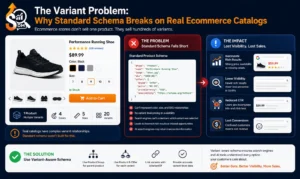
Here is a scenario every e-commerce store owner recognizes: you sell a jacket in four sizes (S, M, L, XL) and three colors (blue, black, and red). That is 12 product variants under one parent product listing.
Standard schema.org/Product markup treats your product as a single entity. The moment you have multiple SKUs with different prices, different stock levels, or different images, the standard schema breaks down in two damaging ways:
- Duplicate SKU errors — Google sees multiple schema blocks fighting to represent the same URL
- Incorrect price ranges—Your rich result may display the wrong price if the schema isn’t mapping variants cleanly
The fix is schema.org/ProductGroup.
Deploying ProductGroup for Multi-Variant Listings
Google’s ProductGroup type creates a parent-child relational structure that maps every variant underneath a master product entity. The three properties that make this work are:
hasVariant— nests each childProductobject under the parentProductGroupvariesBy— specifies exactly which properties differ between variants (size,color,material)productGroupID— the unifying identifier that binds all variants to one catalog entry
<script type="application/ld+json">
{
  "@context": "https://schema.org/",
  "@type": "ProductGroup",
  "name": "Men's Waterproof Trail Running Jacket",
  "productGroupID": "TRJ-MENS-2024",
  "variesBy": ["https://schema.org/color", "https://schema.org/size"],
  "hasVariant": [
    {
      "@type": "Product",
      "name": "Men's Waterproof Trail Running Jacket — Blue / Medium",
      "sku": "TRJ-MENS-BLU-M",
      "color": "Blue",
      "size": "M",
      "offers": {
        "@type": "Offer",
        "price": "89.00",
        "priceCurrency": "USD",
        "availability": "https://schema.org/InStock"
      }
    },
    {
      "@type": "Product",
      "name": "Men's Waterproof Trail Running Jacket — Blue / Large",
      "sku": "TRJ-MENS-BLU-L",
      "color": "Blue",
      "size": "L",
      "offers": {
        "@type": "Offer",
        "price": "89.00",
        "priceCurrency": "USD",
        "availability": "https://schema.org/OutOfStock"
      }
    }
  ]
}
</script>
This structure gives Google a clean map of your entire product variant tree — so when the XL size goes out of stock, only that variant’s availability flag changes, while the parent group listing remains active in search results. This is the implementation approach that most ecommerce SEO guides published in 2023 and 2024 completely skip over.
How to Implement Product Schema on Shopify
Shopify stores have two implementation paths: editing Liquid template files directly, or using an app-based solution. Each has genuine trade-offs that depend on your technical resources and performance priorities.
Liquid Template Editing (Developer Path)
Shopify’s schema output lives in your theme files — typically inside sections/main-product.liquid or a dedicated snippets/product-schema.liquid file. You write the JSON-LD block directly in Liquid and use Shopify’s native object handles to populate schema properties dynamically.
<script type="application/ld+json">
{
  "@context": "https://schema.org/",
  "@type": "Product",
  "name": {{ product.title | json }},
  "image": {{ product.featured_image | img_url: 'grande' | prepend: 'https:' | json }},
  "description": {{ product.description | strip_html | json }},
  "sku": {{ product.selected_or_first_available_variant.sku | json }},
  "brand": {
    "@type": "Brand",
    "name": {{ product.vendor | json }}
  },
  "offers": {
    "@type": "Offer",
    "priceCurrency": {{ shop.currency | json }},
    "price": {{ product.price | money_without_currency | remove: ',' | json }},
    "availability": {% if product.available %}"https://schema.org/InStock"{% else %}"https://schema.org/OutOfStock"{% endif %}
  }
}
</script>
The advantage of this approach is performance. No third-party app adds JavaScript overhead to your page load. The disadvantage is maintenance — every theme update requires you to re-check and potentially re-patch your schema snippets.
App-Based Solutions
Apps like JSON-LD for SEO, Schema Plus, and SEO King automate schema generation across your entire catalog. They handle variant mapping, review schema, and breadcrumb schema without custom code. The trade-off is a small performance cost and dependency on the app developer’s update cycle to stay compliant with Google’s schema guidelines.
For stores with large catalogs and no in-house developer, the app route is the practical choice. For stores with developer resources prioritizing Core Web Vitals performance, hardcoded Liquid is the cleaner solution.
Validating Your Shopify Schema
After implementing your schema — whether through Liquid or an app — validate it before your next indexation cycle. Use Google’s Rich Results Test. Paste your product page URL or the raw schema code directly. The tool flags missing required fields, incorrect property types, and structured data warnings that block rich result eligibility.
Run validation every time you change your theme or update a schema app. A single broken JSON-LD block can suppress rich results across your entire product catalog silently.
How to Implement Product Schema on WooCommerce
WooCommerce stores sit on WordPress, which gives you two strong implementation paths: plugin-based automation or manual JSON-LD output through functions.php hooks.
Plugin Ecosystem (Recommended Starting Point)
Three plugins handle WooCommerce product schema reliably:
- RankMath SEO — Outputs JSON-LD automatically for WooCommerce products, includes review schema, breadcrumb schema, and integrates with the global schema graph
- Yoast SEO Premium — Solid schema output with WooCommerce integration, though slightly less granular control over product-specific properties
- Schema Pro — Purpose-built for structured data with fine-grained control over every property
RankMath is the current leader for WooCommerce schema coverage because it automatically generates aggregateRating from WooCommerce reviews and supports ProductGroup configurations through its settings panel.
Manual JSON-LD via functions.php
For developers who want clean, plugin-free schema output, WordPress action hooks give you precise control. Hook your JSON-LD block into the product page <head> using wp_head with a conditional check:
function sdm_output_product_schema() {
    if ( is_product() ) {
        global $product;
        $schema = [
            '@context'    => 'https://schema.org/',
            '@type'       => 'Product',
            'name'        => get_the_title(),
            'image'       => wp_get_attachment_url( $product->get_image_id() ),
            'description' => wp_strip_all_tags( $product->get_description() ),
            'sku'         => $product->get_sku(),
            'offers'      => [
                '@type'         => 'Offer',
                'price'         => $product->get_price(),
                'priceCurrency' => get_woocommerce_currency(),
                'availability'  => $product->is_in_stock()
                                   ? 'https://schema.org/InStock'
                                   : 'https://schema.org/OutOfStock',
            ],
        ];
        echo '<script type="application/ld+json">'
             . json_encode( $schema, JSON_UNESCAPED_SLASHES | JSON_PRETTY_PRINT )
             . '</script>';
    }
}
add_action( 'wp_head', 'sdm_output_product_schema' );
This approach outputs clean, lean JSON-LD with zero plugin overhead and gives you full control over every property. Extend it with aggregateRating by querying WooCommerce’s review data or a dedicated review plugin’s global $product methods.
The Feed Alignment Problem: Google Merchant Center Sync
This is the section that most e-commerce SEO guides never write and the reason why some stores quietly lose their Google Shopping placements without ever understanding why.
Google Merchant Center runs parallel to your on-page schema. Your XML product feed sends Google one set of product data. Your on-page JSON-LD sends Google another. When those two data sources disagree, Google flags a data mismatch discrepancy—and depending on severity, can suspend your Merchant Center account or suppress your Shopping ads entirely.
The Most Common Mismatch: Sale Pricing
The classic scenario: your store runs a flash sale. Your Merchant Center feed updates immediately with a sale price of $69.99. But your on-page JSON-LD still displays the original price of $89.00 because your schema is hardcoded or cached.
Google sees two different prices for the same product from the same domain. It issues a price-mismatch warning. Leave it unresolved, and your shopping listing gets suppressed.
The fix requires aligning your schema update triggers with your feed submission schedule. On Shopify, dynamic Liquid handles this automatically if your schema uses {{ product.price }} rather than hardcoded values. On WooCommerce, using $product->get_price() in your The functions.php hook ensures the schema always reflects live pricing.
Synchronizing Global Identifiers Across Both Channels
The second synchronization requirement is identifier consistency. Your gtin, sku, and mpn values must match exactly between your Merchant Center feed attributes and your on-page schema properties.
| Merchant Center Attribute | Schema.org Property | Must Match |
|---|---|---|
id (item ID) | sku | ✅ |
gtin | gtin / gtin13 | ✅ |
mpn | mpn | ✅ |
price | offers.price | ✅ |
availability | offers.availability | ✅ |
When these identifiers are synchronized, two things happen. First, Google’s product verification system confirms your on-page data matches your feed data — removing the flag risk entirely. Second, your products become eligible for free Google Shopping organic placements in the Shopping tab, which Google expanded significantly as an alternative to paid listings.
BreadcrumbList and SiteLinksSearchbox Schema
Product schema is only one layer of a complete ecommerce structured data architecture. Two additional schema types deserve implementation alongside your product markup.
BreadcrumbList Schema for Category Pages
Your category and collection pages carry significant organic traffic — often more than individual product pages for high-volume keyword searches. BreadcrumbList schema transforms your messy URL structures into clean, clickable navigation trails inside search results.
Instead of displaying yourstore.com/collections/mens/jackets/waterproof-trail-jacket in the SERP, Google shows a visual breadcrumb: Home › Men’s › Jackets › Waterproof Trail Jacket. Each segment is clickable directly from the search result, reducing the user’s path-to-product and improving page-specific CTR for category-level queries.
<script type="application/ld+json">
{
  "@context": "https://schema.org",
  "@type": "BreadcrumbList",
  "itemListElement": [
    { "@type": "ListItem", "position": 1, "name": "Home", "item": "https://yourstore.com/" },
    { "@type": "ListItem", "position": 2, "name": "Men's", "item": "https://yourstore.com/collections/mens/" },
    { "@type": "ListItem", "position": 3, "name": "Jackets", "item": "https://yourstore.com/collections/mens/jackets/" },
    { "@type": "ListItem", "position": 4, "name": "Waterproof Trail Jacket" }
  ]
}
</script>
SiteLinksSearchbox Schema
Apply WebSite schema with a nested potentialAction:SearchAction to your homepage and Google may display an interactive search bar directly inside your brand’s primary Google listing. A user searching your brand name sees a search box inside the SERP — they type a product query and land directly on your internal search results page without visiting your homepage first.
<script type="application/ld+json">
{
  "@context": "https://schema.org",
  "@type": "WebSite",
  "url": "https://yourstore.com/",
  "potentialAction": {
    "@type": "SearchAction",
    "target": {
      "@type": "EntryPoint",
      "urlTemplate": "https://yourstore.com/search?q={search_term_string}"
    },
    "query-input": "required name=search_term_string"
  }
}
</script>
This schema keeps branded search traffic inside your ecosystem — the user never leaves the Google SERP to reach your search functionality, and they land on a targeted product results page rather than your generic homepage.
The Entities and NLP Layer: What Schema Actually Does for LLMs
Stepping back from individual property implementations, it helps to understand the broader semantic architecture your schema builds. Search engines and LLMs do not process your store as a collection of pages. They process it as a graph of connected entities.
Your properly implemented schema creates these entity nodes and relationships:
[Organization: SDM Store]
       ↓ sells
[ProductGroup: Trail Running Jackets]
       ↓ hasVariant
[Product: Blue / Medium] — [Offer: $89.00 / InStock]
[Product: Blue / Large]  — [Offer: $89.00 / OutOfStock]
       ↓ hasBrand
[Brand: YourBrand]
       ↓ aggregateRating
[AggregateRating: 4.7 / 312 reviews]
Every property you add strengthens an edge in this graph. Every property you omit is a gap that forces the search engine or LLM to infer — and inference creates the hallucination risk we discussed in the GEO section. The practical takeaway: treat schema implementation as entity graph construction, not just code insertion. Every property serves a semantic purpose beyond its rich result function.
Conclusion: From Broken Code to AI-Ready Ecommerce Infrastructure
Product Schema Markup, implemented correctly, does three things simultaneously. It earns rich results that lift your organic CTR. It constructs the entity relationships that build your store’s topical authority in Google’s Knowledge Graph. And it provides the verified structured data layer that AI search engines like Google AI Overviews, Perplexity, and ChatGPT Search use to cite your products accurately in the next generation of search results.
The implementation details matter enormously. A single property mismatch between your on-page schema and your Merchant Center feed can suppress your Shopping listings. An unresolved ProductGroup structure means your variant catalog is sending duplicate signals that cannibalize your own rankings. A missing gtin means AI shopping grids approximate your product data instead of citing it accurately.
These are not abstract technical risks — they are conversion losses happening right now in stores that have not audited their structured data.
Don’t let broken schema code or missing variant identifiers cost your store its rich results or AI search visibility.
Your competitors are still writing standard single-product schema blocks while your catalog runs on complex variant trees. Your Merchant Center feed and on-page JSON-LD may already be generating silent mismatch warnings. And your GEO strategy is only as strong as the structured metadata your product pages serve to AI search engines.
Let SDM’s technical engineers configure your product schema markup flawlessly—from ProductGroup variant loops to merchant center feed alignment to AI-ready GEO optimization.
👉 Explore our Technical SEO Services at SEO Digital Marketings and claim the search positions your e-commerce store deserves.