
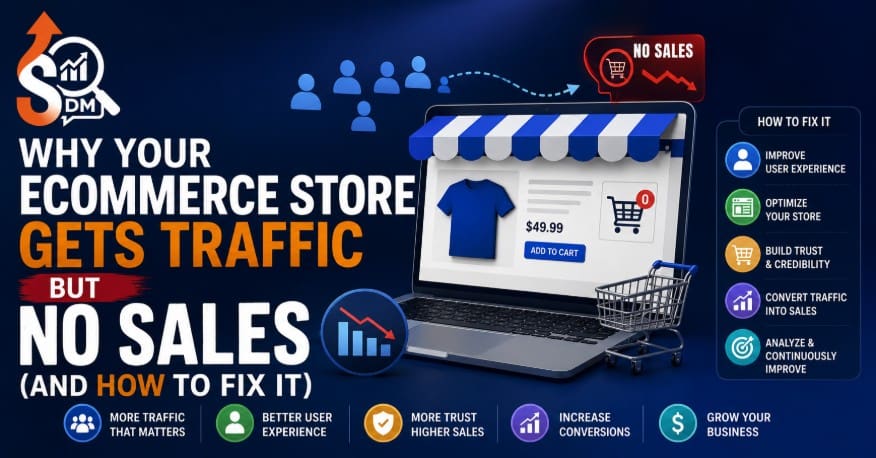
You check Google Analytics and the numbers look good. Sessions are up. Organic traffic is climbing. Your SEO agency (or your own hard work) is clearly doing something right.
Then you check the sales dashboard, and it tells a different story: carts sitting empty, conversion rate stuck below 1%, and revenue that doesn’t match the traffic curve at all.
This is one of the most common and most misdiagnosed problems in ecommerce. Store owners assume more traffic will eventually turn into more sales. But when you have ecommerce SEO not converting, the issue usually isn’t a lack of visitors. It’s that the wrong visitors are landing on the wrong pages, at the wrong speed, with nothing to convince them to buy.
Below are the five most common reasons this happens, how to diagnose them, and how to fix the underlying ecommerce conversion problem instead of just chasing more traffic.
Traffic Without Sales Is an SEO Problem, Not Just a Design Problem
It’s tempting to blame the theme, the checkout flow, or “bad luck.” But if you’re getting ecommerce traffic no sales, the root cause is very often upstream of design. It’s in the Ecommerce SEO service strategy itself.
SEO isn’t just about ranking. It’s about ranking for the right things, on the right pages, for people who actually intend to buy. A store can rank #1 for a keyword and still convert at 0% if:
- The keyword doesn’t match buyer intent
- The landing page doesn’t match the keyword’s promise
- The page loads too slowly for mobile shoppers to stick around
- There’s no path guiding the visitor from that page to a purchase
- Nothing on the page builds enough trust to hand over a credit card
In other words, redesigning your homepage won’t fix a problem that starts with who is arriving and why. To fix ecommerce SEO, you have to treat traffic quality, page structure, site performance, and trust as one connected system rather than separate departments.
Reason 1: You Are Ranking for the Wrong Keywords
This is the single biggest driver of high traffic with low sales. Many stores rank well for broad, informational, or vanity keywords that attract browsers, not buyers.
Common culprits:
- Ranking for “what is [product]” instead of “buy [product] online”
- Targeting high-volume head terms with almost no commercial intent
- Blog content that ranks well but funnels readers nowhere near a product page
- Keywords that match your product category but not your actual price point or use case
How to check this: Pull your top 20 landing pages by organic sessions in Google Search Console, then sort by conversion rate in GA4. If your highest-traffic pages have the lowest conversion rates, you’re likely attracting informational searchers, not shoppers.
The fix: Re-map keywords by intent. Separate “informational” keywords (blog, guides) from “transactional” keywords (product and category pages), and make sure your SEO investment is weighted toward terms that include commercial signals, “buy,” “price,” “best,” “for [use case],” “near me,” model numbers, and comparison terms.
Reason 2: Your Product Pages Have Thin or Duplicate Content
Even if the right visitor lands on the right page, a thin product description won’t close the sale. This is especially common on stores using manufacturer-supplied copy across hundreds of SKUs: the same three sentences repeated on every variant.
Signs of this problem:
- Product descriptions under 50 words with no differentiation
- Identical copy across color/size variants
- No answers to obvious buyer questions (sizing, materials, compatibility, shipping time)
- Category pages with zero unique text, just a grid of products
Thin and duplicate content hurts you twice: search engines struggle to differentiate pages (hurting rankings for the pages that do have commercial intent), and shoppers who land on the page get no reason to trust or choose you over a competitor selling the identical item.
The fix: Prioritize your top 20-50 revenue-driving SKUs first. Write unique, benefit-led descriptions that answer pre-purchase objections directly on the page. This alone often lifts conversion rate before you touch design or speed.
Reason 3: Your Site Speed Is Killing Conversions on Mobile
Most ecommerce traffic today is mobile, and mobile shoppers are far less patient than desktop users. Google’s own data has repeatedly shown that conversion probability drops sharply as page load time increases past 2-3 seconds.
Here’s the trap: a store can rank well (Google indexed the content fine) while still losing the majority of visitors before the page even finishes rendering. Traffic shows up in Analytics as a “session,” but the visitor bounced before ever seeing a product, a price, or an “Add to Cart” button.
Common speed killers on ecommerce sites specifically:
- Unoptimized product images (multiple 2-5MB images per product page)
- Too many third-party apps and tracking scripts (especially on Shopify/WooCommerce)
- Render-blocking JavaScript from chat widgets, review plugins, and upsell apps
- No lazy loading on category and collection pages
The fix: Run your top landing pages through PageSpeed Insights and focus specifically on mobile Core Web Vitals. Largest Contentful Paint and Cumulative Layout Shift matter most for ecommerce. Compress images, audit and remove unused apps, and defer non-essential scripts.
Reason 4: Poor Internal Linking Is Hiding Your Best Product Pages
Traffic often lands on a blog post, a category page, or a low-margin product, and then it goes nowhere. If there’s no clear internal path from where people land to where you actually want them to buy, you’re leaving conversions on the table even with strong rankings.
This shows up as:
- Blog posts that rank well but link out to competitors or nowhere at all
- No “related products” or “you may also like” logic on product pages
- Orphaned high-converting pages that aren’t linked from anywhere with traffic
- Category pages that don’t link down to bestsellers or new arrivals
Search engines also use internal linking to understand which pages matter most on your site. Weak internal linking doesn’t just confuse shoppers. It can suppress your best-converting pages in rankings too.
The fix: Audit your top 10 traffic-driving pages and check what they link to. Every blog post and category page should have a clear, contextual path to a relevant product or collection within the first screen or two of content.
Reason 5: You Have a Trust Signal Problem
Even with the right visitor, the right page, fast load times, and good internal links, shoppers still won’t buy from a store that feels risky. Ecommerce has more trust friction than almost any other online purchase. The buyer is handing over payment details to a brand they may have never heard of.
Missing trust signals that quietly kill conversions:
- No visible reviews or ratings on product pages
- No clear returns/refund policy near the buy button
- Missing security badges, payment icons, or SSL indicators
- No real contact information, physical address, or “About Us” credibility
- Generic stock photography instead of real product photos
The fix: Treat trust signals as an SEO and CRO issue, not just a legal checkbox. Reviews in particular do double duty: they build buyer confidence and generate the kind of unique, keyword-rich content search engines reward on product pages.
The Ecommerce SEO Audit That Finds the Real Problem
Rather than guessing which of the five reasons above applies to you, run a structured audit across four layers:
- Intent audit: Compare top-traffic keywords against top-converting keywords in Search Console and GA4. Look for mismatches.
- Content audit: Flag any product or category page under 100 words of unique copy, and any duplicate description across SKUs.
- Speed audit: Test mobile Core Web Vitals on your 10 highest-traffic landing pages, not just the homepage.
- Trust and linking audit: Check whether your highest-traffic pages link to conversion-ready pages, and whether those pages carry visible trust signals.
Most stores find that two or three of these five reasons are compounding at once, and that’s exactly why traffic keeps climbing while sales stay flat. Fixing just one rarely moves the needle; fixing the combination usually does.
How SDM Fixed This Exact Problem for a UK Ecommerce Client
(Note: swap in your real client name, niche, and verified metrics before publishing. The structure below is ready to drop your numbers into.)
A UK-based ecommerce client came to SDM with a familiar complaint: organic sessions had grown steadily over six months, but revenue from organic traffic hadn’t moved. On the surface, the SEO “was working.” In reality, it was working for the wrong outcome.
The audit found three of the five issues above stacked on top of each other:
- Wrong-intent keywords: Over 60% of organic traffic was landing on blog content ranking for informational, top-of-funnel terms with no commercial intent.
- Thin product content: Best-selling SKUs were using unedited supplier descriptions, duplicated across color variants.
- Slow mobile pages: Category pages were loading in over 5 seconds on mobile due to unoptimized imagery and unused apps.
The fix was sequenced rather than done all at once:
- Re-mapped target keywords by intent, deprioritizing low-intent blog terms and building out transactional category pages instead.
- Rewrote descriptions for the top 40 revenue SKUs with unique, benefit-led copy and embedded customer review snippets.
- Compressed and lazy-loaded product imagery, removed three unused third-party apps, and cut mobile load time significantly.
- Rebuilt internal linking so blog content funneled directly into relevant collections rather than dead-ending.
Within the following reporting period, the client saw organic conversion rate improve meaningfully without a corresponding jump in total traffic. That’s proof the store wasn’t missing visitors. It was missing the right structure to convert the ones it already had.
The takeaway: if your ecommerce store has traffic but no sales, don’t start by redesigning the homepage or dumping more budget into ads. Start by auditing intent, content, speed, links, and trust, in that exact order. That’s where the real ecommerce conversion problem almost always lives, and it’s where the fix actually pays off.