
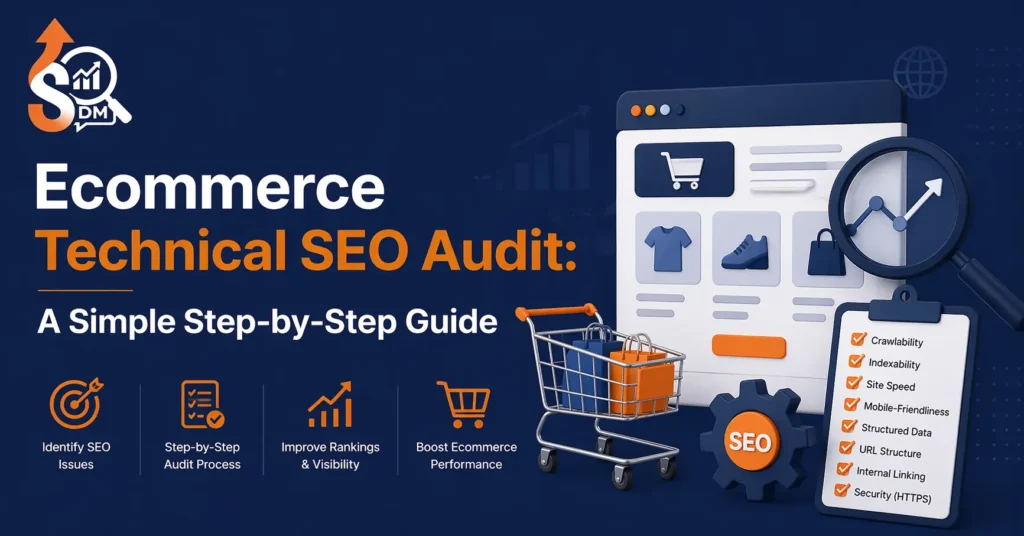
Running an e-commerce website is not just about uploading products and waiting for sales. Many store owners struggle to get traffic because their websites have hidden technical SEO issues that prevent search engines from properly crawling and ranking their pages. Even if you have high-quality products and a design, your site may still fail to rank if the technical foundation is weak. That’s why a proper e-commerce technical SEO audit is essential it helps you identify errors, fix them, and create a strong base for long-term organic growth.
In this guide, you will learn how to audit your e-commerce website step by step in a practical way. This is not theory—these are real issues that most e-commerce websites face, and the exact methods to fix them.
Step 1: Check Indexing Status
Before doing anything else, you need to understand how Google sees your website. Many e-commerce sites either have too many pages indexed (which creates confusion) or important pages missing from the index. This directly impacts your rankings and traffic.
Search in Google:
site:yourdomain.com
Then check:
- Important pages (homepage, category, product) are indexed
- Low-quality pages (filters, search URLs) are NOT indexed
- No unexpected or spammy URLs appear
Step 2: Crawl Your Website
Now you need to audit your site like a search engine crawler. This step helps you uncover technical issues that are not visible from the frontend.
Focus on identifying:
- Broken links (404 errors)
- Redirect chains and loops
- Duplicate URLs
- Missing meta tags
Fix these by:
- Adding 301 redirects to broken pages
- Updating internal links
- Cleaning unnecessary URLs
Step 3: Optimize URL Structure
Your URL structure plays a big role in both SEO and user experience. Messy URLs confuse search engines and reduce click-through rates.
A good e-commerce URL should be clean, readable, and keyword-focused.
Follow these rules:
- Keep URLs short and simple
- Avoid unnecessary parameters
- Use descriptive keywords
- Maintain a consistent structure
Step 4: Fix Duplicate Content Issues
Duplicate content is one of the biggest problems in e-commerce SEO. It usually happens because of product variations, category duplication, or filter pages.
This confuses search engines and weakens your ranking signals.
To fix this:
- Use canonical tags correctly
- Noindex filter and parameter URLs
- Avoid creating multiple URLs for the same product
Step 5: Improve Website Speed
Website speed is not just a technical factor; it directly affects user experience and sales. A slow-loading website frustrates users and increases the chances that they will leave before even viewing your products. Google also considers speed an important ranking factor, especially for mobile users.
Many e-commerce sites become slow due to large images, heavy scripts, and unoptimized design elements. Over time, these issues build up and significantly reduce performance.
To improve your website speed, you should focus on optimizing images, reducing unnecessary code, and improving overall loading efficiency.
- Compress large images without losing quality
- Enable lazy loading so images load only when needed
- Minimize JavaScript and CSS files
- Use a content delivery network (CDN)
A faster website creates a better user experience, which leads to higher engagement, better rankings, and more conversions.
Step 6: Mobile Optimization
Today, a large percentage of e-commerce traffic comes from mobile devices. If your website does not perform well on mobile, you are likely losing a significant number of potential customers.
Mobile optimization is not just about shrinking your desktop site—it’s about creating a smooth and user-friendly experience on smaller screens. Users should be able to browse, read, and purchase products without any difficulty.
Check your website on different devices and pay attention to how it feels to use.
- Is the text easy to read without zooming?
- Are the buttons large enough to tap comfortably?
- Does the layout adjust properly to different screen sizes?
Improving your mobile experience will not only boost your rankings but also increase your sales.
Step 7: Optimize Meta Tags
Your page titles and meta descriptions are extremely important because they are the first things users see in search results. They act like a preview of your page and directly influence whether someone clicks on your link or not.
Many ecommerce websites either duplicate these tags across multiple pages or leave them poorly optimized. This reduces visibility and click-through rates.
Make sure each page has a unique and clear title that includes your main keyword. Your meta description should be written in a natural and engaging way that encourages users to click.
- Use clear and relevant keywords
- Keep titles simple and descriptive
- Write descriptions that highlight value
Good meta tags help search engines understand your content and attract more visitors to your site.
Step 8: Fix Thin Content
Duplicate content is one of the most common and harmful issues in e-commerce websites. Because of product variations, category structures, and filtering systems, the same content often appears on multiple URLs. This creates confusion for search engines, making it difficult for them to decide which page should rank.
Over time, this can weaken your SEO performance and reduce your chances of appearing in search results. It also spreads your ranking power across multiple pages instead of focusing it on one strong page.
To solve this problem, you need to clearly tell search engines which version of a page is the main one. You can do this by using canonical tags correctly, avoiding indexing unnecessary filter pages, and maintaining a clean and organized site structure. Keeping only one strong version of each page will improve your overall ranking potential.
Step 9: Improve Internal Linking
Internal linking helps search engines discover and prioritize your pages. Without proper linking, even important pages may not rank well.
You should:
- Link category pages to products
- Add related product sections
- Fix orphan pages (pages with no internal links)
Step 10: Sitemap & Robots.txt Optimization
Your sitemap and robots.txt file guide search engines on what to crawl and index.
Make sure:
- Your sitemap includes only important pages
- It is submitted to Google
- Robots.txt blocks unnecessary URLs like filters and search pages
Step 11: Add Schema Markup
Schema markup helps your products stand out in search results with rich snippets like ratings and prices.
You should implement:
- Product schema
- Review schema
- Price and availability data
Step 12: Fix JavaScript Issues
If your e-commerce site relies heavily on JavaScript, search engines may struggle to read your content properly.
To solve this:
- Use server-side rendering (SSR)
- Test pages in Google Search Console
Step 13: Fix Broken Pages & Redirects
When products are removed, they often leave behind broken pages, which harm SEO.
Handle this by:
- Redirecting to similar products
- Redirecting to relevant category pages
- Avoiding dead-end pages
Step 14: Optimize Category Pages
Category pages are the most powerful pages for e-commerce SEO, yet many websites ignore them.
Instead of just listing products, you should:
- Add 200–300 words of SEO content
- Target main keywords
- Improve internal linking
Final Thoughts
Technical SEO may seem complex at first, but in reality, it is about making your website more accessible, faster, and easier to understand. When your site is technically strong, search engines can crawl it efficiently, users can navigate it smoothly, and your chances of ranking increase significantly.
Instead of trying to fix everything at once, start with the basics. Identify the most important issues, fix them step by step, and continue improving over time. With consistent effort, you will build a strong foundation that supports long-term growth, higher rankings, and better sales performance.
Advanced E-commerce SEO Questions (With Practical Answers
Keyword research for ecommerce is not just about finding high-volume keywords—it’s about understanding buyer intent. An SEO specialist will focus on keywords that show people are ready to purchase, not just browse.
Answer:
You should target 3 types of keywords:
- Transactional keywords (buy intent)
- Commercial keywords (comparison intent)
- Informational keywords (blog content)
Example:
For a shoe store:
- Transactional → “buy black running shoes”
- Commercial → “best running shoes for men”
- Informational → “how to choose running shoes”
Use transactional keywords on product/category pages and informational keywords in blogs.
How should category pages be optimized for SEO?
Most ecommerce sites make a big mistake—they only list products on category pages without adding any content. This makes it harder for Google to understand the page.
Answer:
Category pages should be treated like landing pages.
You should include:
- 200–300 words of keyword-rich content
- Clear H1 heading
- Internal links to products
Example:
Instead of just listing products under:
“Men’s Shoes”
Add content like:
“Explore our collection of men’s shoes designed for comfort, durability, and style. Whether you need running shoes, casual sneakers, or formal footwear, we have options for every need.”
This helps the page rank for broader keywords
Which pages should we build backlinks to?
Many beginners make the mistake of building backlinks only to the homepage. That’s not effective for ecommerce SEO.
Answer:
You should build backlinks strategically to:
- Category pages (high priority)
- Important product pages
- Blog content (for authority)
Example:
- Backlink to
/mens-running-shoes(category page) - Backlink to blog: “Best Running Shoes 2026”
- Avoid sending backlinks only to homepage
Category pages usually bring the most traffic, so they should get the strongest backlinks.
How do we handle out-of-stock products for SEO?
Out-of-stock products are common in ecommerce, but handling them incorrectly can damage SEO.
Answer:
Never delete pages immediately.
Example:
- If product is temporarily out of stock → keep page live
- Add message: “Out of stock, coming soon”
- Suggest similar products
If permanently removed:
- Redirect to similar product or category page
This keeps your SEO value intact.
How do we use filters without harming SEO?
Filters (color, size, price) create many URLs, which can harm SEO if not handled properly.
Answer:
Control which filter pages get indexed.
Example:
/shoes?color=black→ noindex/shoes?size=10→ noindex
Only allow important category pages to be indexed.
Comments are closed.